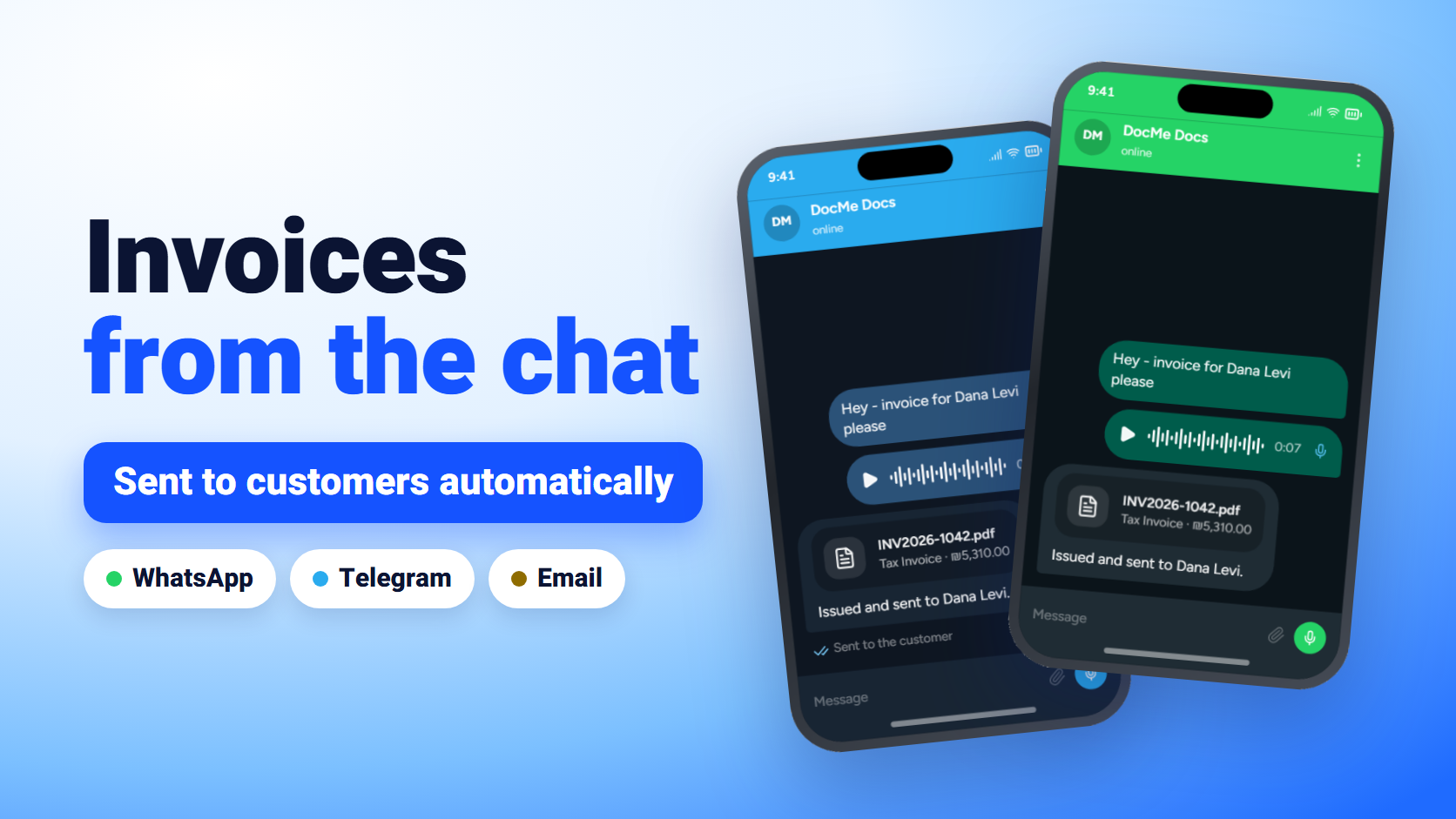
Invoices from the chat: issue on WhatsApp and Telegram, deliver automatically
Most small businesses aren't late with their invoices because invoicing is hard. They're late because it means sitting down at a computer, opening a system, finding the customer, typing the lines, downloading a PDF, and then sending it by email or WhatsApp. That's exactly the step that gets pushed to the end of the day, and from there to the end of the month.
DocMeDocs is a new invoicing app built around two simple ideas. The first is issuing invoices from WhatsApp and Telegram, straight from the chat, with a text or a voice note. The second is automatic delivery to the customer by Telegram and email the moment a document is issued, so you never have to remember to send it.
This guide walks through the whole flow with real screenshots from the app: connecting the bot, issuing a document from the chat, setting up automatic delivery to customers, and tracking who received it and who confirmed.
What issuing an invoice from the chat looks like
This is how it works in practice. You write or record a message to the DocMeDocs bot, and the document comes back numbered, calculated, and saved. If the customer is set up for automatic delivery, it's already on its way to them.
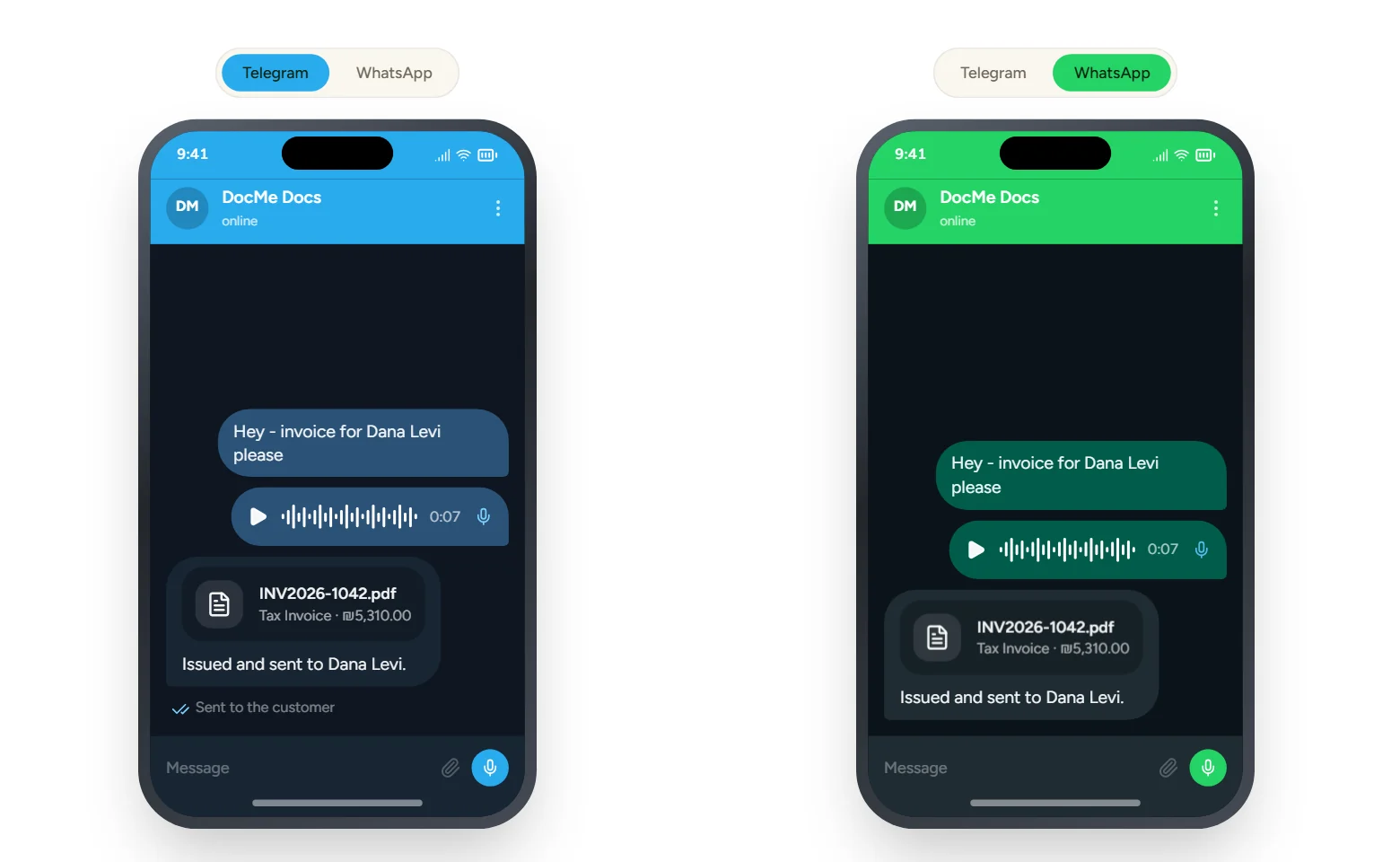
There's no new app to learn and no form to fill in. The bot lives in the app you already have open all day.
Step 1: Connect the bot to your account, with no codes and no QR
The bot recognizes you by the phone number you write from. There's no login command, no verification code, and no QR code to scan.
- In DocMeDocs, go to Settings → Business Profile.
- Scroll to the "Bot phone numbers" card.
- Add every number that will message the bot: yours, a partner's, or an employee's who issues documents. Your business phone number is already listed there automatically.
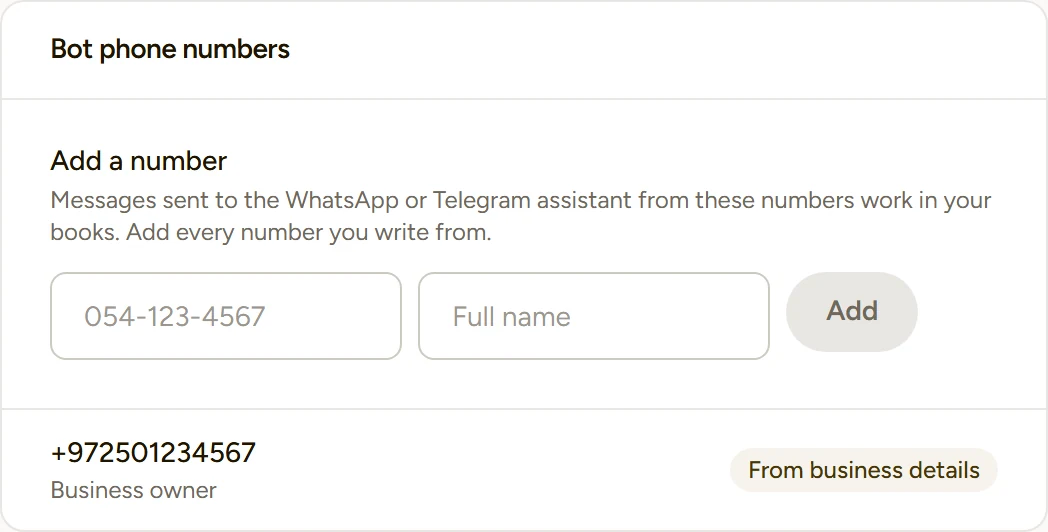
Removing a number from the list cuts off its access immediately. It's also the right way to handle an employee who has left.
Telegram tip: the bot can only recognize you if your phone number is visible to it. If the bot doesn't recognize you, check your Telegram privacy settings and make sure your phone number isn't hidden.
Step 2: Ask for a document by text or voice
Talk to the bot the way you'd explain it to your bookkeeper. For example:
- "Issue an invoice to Dana Levi for branding and a landing page, four thousand five hundred plus VAT"
- "Receipt for Yossi Cohen, 1,200 shekels, paid by bank transfer"
- "Price quote for Alpha Studio: three hours of consulting at 250 an hour"
What happens behind the scenes:
- The bot understands the request from free text or a voice note, in Hebrew or English, and replies in the language you wrote in.
- If something is missing, it asks for everything missing at once, in a single numbered list, not in ten separate messages.
- The document is saved as a draft first. The bot reads the totals back to you and waits for an explicit "yes".
- Only after you confirm is the document issued. It gets its running number and, if the business is connected to the Tax Authority, an allocation number too.
- The PDF comes back to you in the chat, and if the customer has delivery channels set up, the document goes out to them.
An issued document is a tax record and cannot be edited or deleted. That's why the default is to ask before issuing. Corrections are made with a credit invoice, as in any compliant system.
Want the bot to issue without asking?
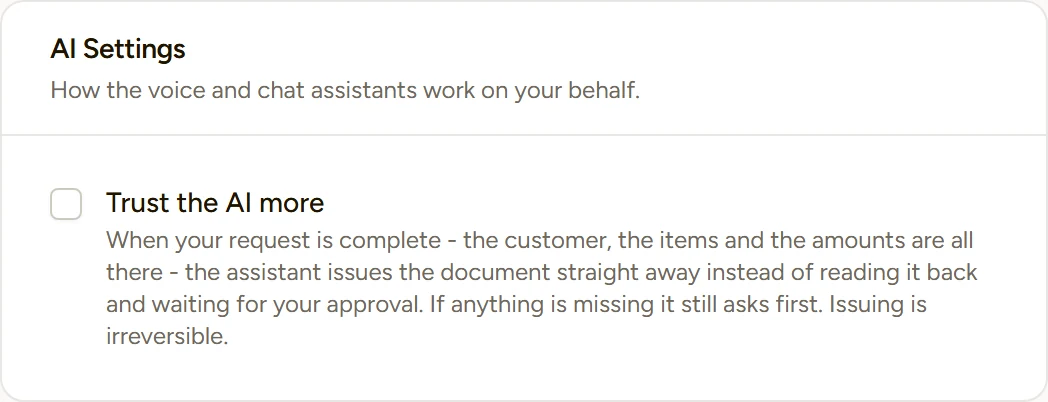
If you issue a lot of documents a day, you can turn on "Trust the AI more" under Settings → AI Settings. When your request is complete, meaning the customer, the lines, and the amounts are all there, the bot issues right away instead of reading it back and waiting. If anything is missing, it still asks first.
What you can ask the bot for
The bot issues every document a business needs day to day, and answers questions about your numbers too:
| What you write or say | What you get |
|---|---|
| "Invoice for Dana Levi, 4,500 plus VAT" | A tax invoice with an allocation number where required |
| "Receipt for Yossi, 1,200, paid in cash" | A receipt or an invoice-receipt |
| "Price quote for Alpha Studio" | A price quote, pro-forma invoice, or delivery note |
| "Credit invoice for Dana Levi, 500 shekels" | A credit invoice |
| "How much is still open this year?" / "What did Acme buy last month?" | A short answer from your own data |
You can also add a new customer or product through the chat, and on the plans that include it, send the bot a photo of an expense receipt to have it filed automatically.
Automatic delivery to customers by Telegram and email
The second part matters just as much: making sure the document reaches the customer without you having to remember to send it.
Every customer card (Customers → click the customer) has a field called "Send documents automatically when issued by" with two options: Telegram and Email. Pick one or both, and from then on every document issued to that customer goes out on those channels, whether you issued it from the bot or from the app.
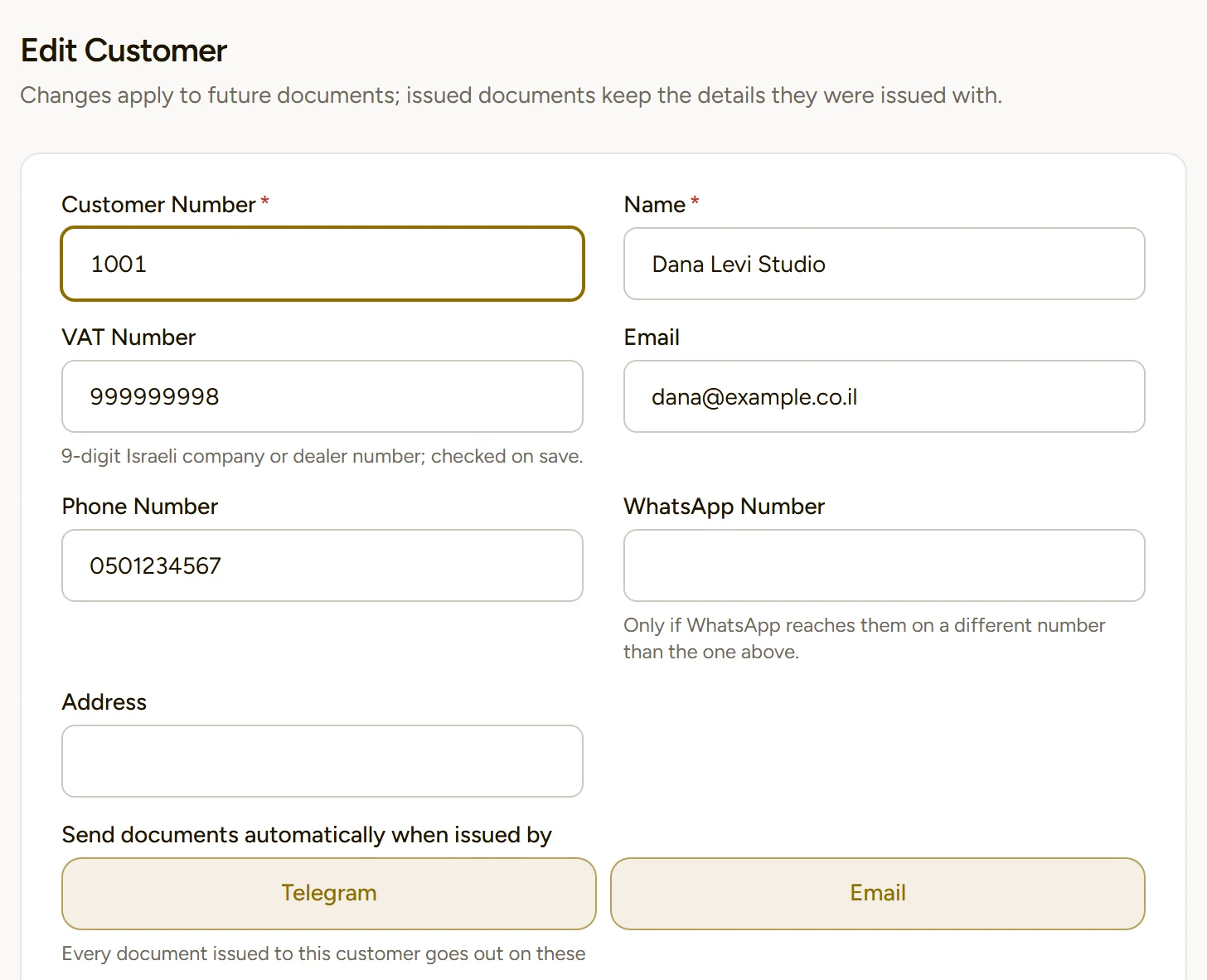
Two things worth knowing:
- The customer doesn't install anything or join any bot. On Telegram the document reaches them by the phone number on their card, as long as they have Telegram on that number. By email, it goes to the address on their card.
- The "WhatsApp Number" field is for customers whose WhatsApp runs on a different number from their main one.
Turn it on for every customer at once
There's no need to go customer by customer. The Customers page has a "Send channels" button that opens a side panel. Choose a channel, choose "Turn on" or "Turn off", and decide whether it applies to all customers or only some of them. The panel also tells you up front how many customers will be updated, how many are already on, and how many will be skipped because they have no phone or email.
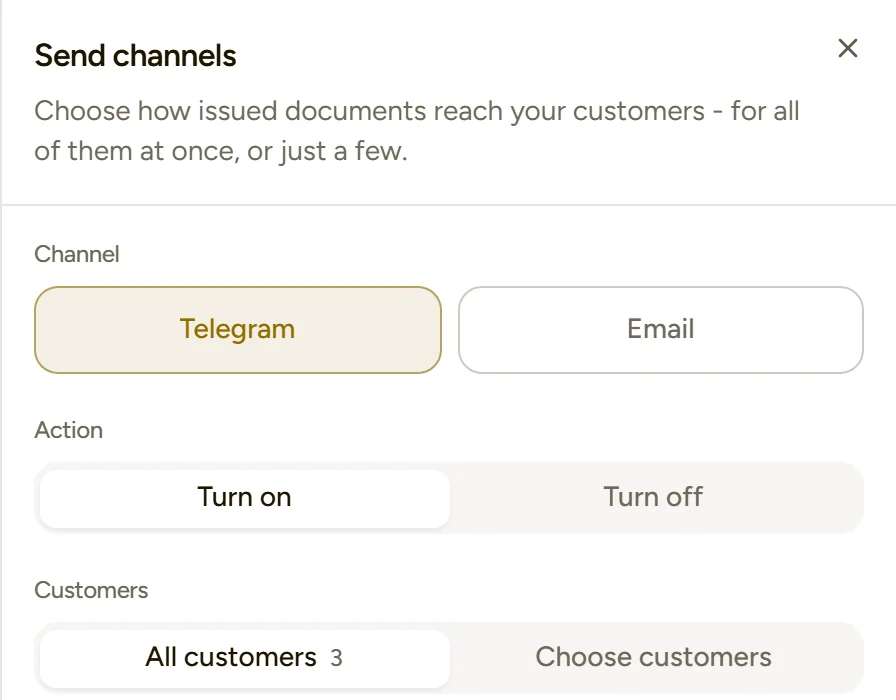
Ten seconds to change your mind
When you issue a document from the app itself, the review screen before issuing shows every detail along with the "Send to the customer automatically" option. After issuing, there's a 10-second countdown with a Cancel button, in case you remember something at the last moment.
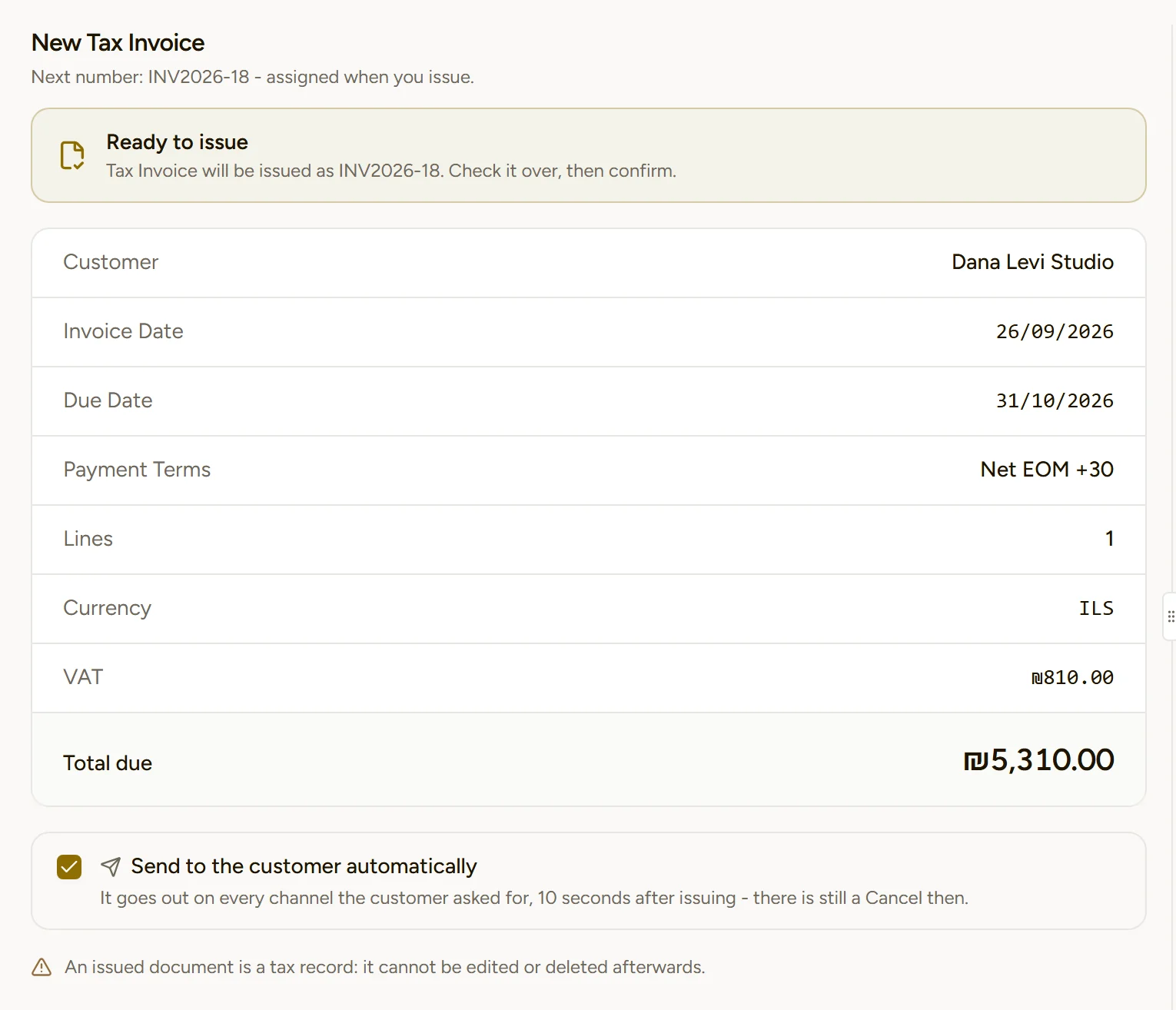
Knowing the customer actually received it
"I sent you the invoice" and "I never got it" is a conversation every business knows. In DocMeDocs, every automatic send includes a short link to the document. When the customer opens it, or replies to the message (with a "thanks", for example), it's recorded as a confirmation of receipt.
Every document page shows a "Sent to the customer" card listing each channel the document went out on, the time, and exactly how the customer confirmed.
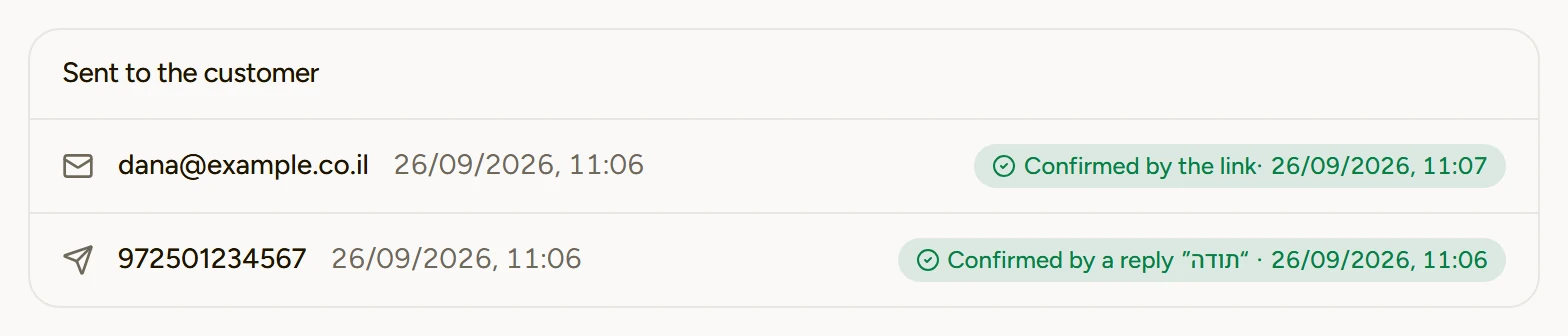
What about WhatsApp?
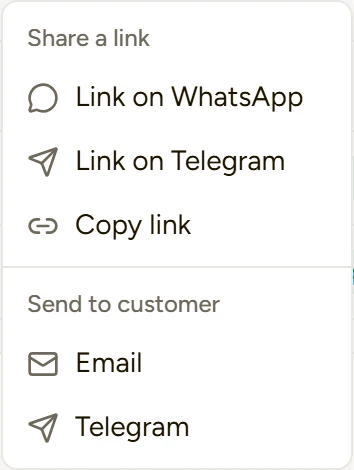
You can issue documents from WhatsApp, but automatic delivery to customers currently works only by Telegram and email. To send a document to a customer on WhatsApp, open the document and click Send → Link on WhatsApp. WhatsApp opens with a ready-made message and a link to the document, and all that's left is to pick the customer. The same menu also lets you send manually by email or Telegram, or copy the link.
What each plan includes
| Plan | Issuing from the chat | Automatic delivery to customers |
|---|---|---|
| Basic | From the browser dashboard | |
| Pro | Telegram bot | Email and Telegram |
| Premium | WhatsApp and Telegram bot | Email and Telegram |
Every plan lets you share any document as a WhatsApp or Telegram link, and issue documents from ChatGPT, Claude, or Gemini as well.
Mistakes worth avoiding
- Not adding the numbers you write from. If an employee messages the bot from a number that isn't on the list, the bot has no way of knowing it's your business.
- Incomplete customer cards. No phone means no Telegram, and no email means no email delivery. Those customers are skipped when you turn a channel on in bulk.
- Turning on "Trust the AI more" on day one. Issue a few documents with confirmation first, and only then switch it on.
- Not connecting the business to the Tax Authority before issuing invoices that need an allocation number.
- Skipping a check of your first document. Issue one real invoice, open it, and confirm the customer received it and confirmed.
Conclusion
DocMeDocs connects two moments that usually stay apart: the moment you need to issue a document, and the moment the customer needs to receive it. You ask the bot by text or voice, confirm, and the document goes out numbered, with an allocation number, and reaches the customer by Telegram or email. And you can see that they got it.
The simplest way to find out whether it fits your business: add your number, turn on automatic delivery for one customer, and issue them one real document from the chat.
Frequently asked questions
What businesses usually ask before they start issuing from the chat.
No. On Telegram the document reaches them by the phone number on their customer card, and by email at the address on the card. The customer just opens the message.
Not by default. The bot saves a draft, reads the totals back, and issues only after an explicit "yes". Only if you turn on "Trust the AI more" will it issue right away, and only when the request is complete.
Automatic delivery currently works by Telegram and email. On WhatsApp you send in one click with "Link on WhatsApp", which opens a ready-made message with a link to the document.
If your number is also connected to DocMe AI, start your text message with the word "DocMe". Voice notes always go to the assistant.
The document page shows a "Sent to the customer" card with every channel, the time, and whether the customer confirmed by opening the link or by replying.