Uploading files to DocMe: WhatsApp, Telegram, email, direct share, and a built-in scanner
One of the most common problems in document management isn't only what happens to an invoice after it arrives - it's how you get it into the system comfortably in the first place. An invoice can arrive on WhatsApp, by email, on Telegram, as a download from a vendor's website, as a photo in your gallery, as a PDF file, or as a piece of paper you photographed a moment before it went missing.
That is exactly why DocMe lets you upload files through several different channels. The goal is simple: wherever the document happens to be right now, you can move it into DocMe quickly, and the system will receive it, identify you, process the document, and store it in the right place.
Instead of hunting at the end of the month for invoices between chats, downloads, emails, and photos, DocMe brings it all into one place: documents, invoices, receipts, scans, and journal entries ready for the next step.
Why does it matter to allow uploads from anywhere?
In a real business, documents don't arrive in an orderly way. One vendor emails an invoice, another sends a photo on WhatsApp, an employee photographs a receipt in the field, and the accountant asks for a document that was already sent a week ago but is hard to find.
When there is no organised process for uploading documents, the same problems keep coming back:
- Invoices stay inside WhatsApp chats and never reach bookkeeping.
- Photographed receipts sit in the gallery and are never filed.
- Documents are sent to the wrong email address or forgotten in the inbox.
- It's hard to know which files have been handled and which are still waiting.
- At month end, time goes into collecting documents instead of reviewing and approving them.
DocMe solves the problem at the root: it doesn't force you to work through one screen or one action. Instead, it connects to habits that already exist in the business and lets you send documents whichever way is easiest at that moment.
Uploading invoices to DocMe through WhatsApp
WhatsApp is one of the main channels through which businesses in Israel receive documents. Clients send confirmations, vendors send invoices, employees send receipts from the field, and sometimes the most important document sits inside an ordinary conversation.
With DocMe you can send a photo or a document through WhatsApp, and the system automatically identifies the user and uploads the invoice. That means no downloading the file, saving it to a folder, opening another system, and uploading it manually.
A typical process looks like this:
- You receive an invoice or a receipt on WhatsApp.
- You send the file or photo to DocMe's WhatsApp channel.
- DocMe identifies who sent the document.
- The document is captured automatically in the system.
- After capture, DocMe can analyse the document, identify vendors, amounts, dates, and VAT, and prepare it for the next step.
The big advantage is that the document doesn't stay stuck inside the chat. It moves into a system where you can search it, filter it, process it, and manage it as part of the bookkeeping process.
Uploading files through Telegram
The same principle works on Telegram. Businesses and teams that use Telegram can send a photo or a document to DocMe, and the system will capture the file automatically.
Uploading through Telegram is especially useful when working from a phone, photographing a document on the spot, or receiving a file inside a conversation and wanting to move it into the system immediately. Instead of waiting to get to a computer or emailing the file to yourself, you simply forward it to DocMe.
That keeps the process short:
- Photograph an invoice, a receipt, or a document.
- Send it to DocMe's Telegram bot or channel.
- The system identifies you and captures the file.
- The document appears in the system, ready for processing.
This suits businesses where documents arrive in real time: drivers, field staff, operations teams, small business owners, or anyone who isn't sitting at a computer all day.
Sending files to DocMe at a dedicated email address
Not every document comes from a phone. Plenty of invoices still arrive by email: vendor invoices, receipts, reports, expense documents, confirmations, and PDF files. So DocMe also allows sending to a dedicated email address.
Instead of downloading the file from your inbox and then uploading it manually, you can forward or send the message to DocMe's dedicated address. The attachments are captured automatically and join the workflow.
The advantages of uploading by email:
- It's easy to forward an invoice received from a vendor.
- No need to log into the system every time a new document arrives.
- You can set up a standing process for teams or clients.
- Documents enter the digital archive instead of staying scattered across different mailboxes.
This is a particularly convenient solution for bookkeeping firms and accountants who receive documents from many clients. Every client can send documents in an orderly way, and the files are captured in the system instead of disappearing into email threads.
Sharing directly to the DocMe app from your phone
Sometimes the document is already on your phone: you downloaded a PDF, received a photo, opened a file from another app, or saved an image to the gallery. In those cases, DocMe supports sharing directly to the app.
It works like any normal share from a phone: tap Share, choose DocMe, and the file goes straight into the system. Just as you would share a file to WhatsApp, email, or Telegram, you can share it directly to DocMe.
In practice, that means there is no clumsy route of downloading, saving, opening a browser, and uploading. If the file is already on the device, it can move to DocMe in a single action.
Examples of when direct sharing is useful:
- You downloaded a PDF invoice from a vendor's website.
- You received a file in a messaging app and want to file it right away.
- You found a photo of a receipt in your gallery.
- You opened a document in another app and want to send it to bookkeeping.
Instead of leaving the document on the device, you share it to DocMe and it is uploaded automatically.
A built-in scanner for iPhone and Android
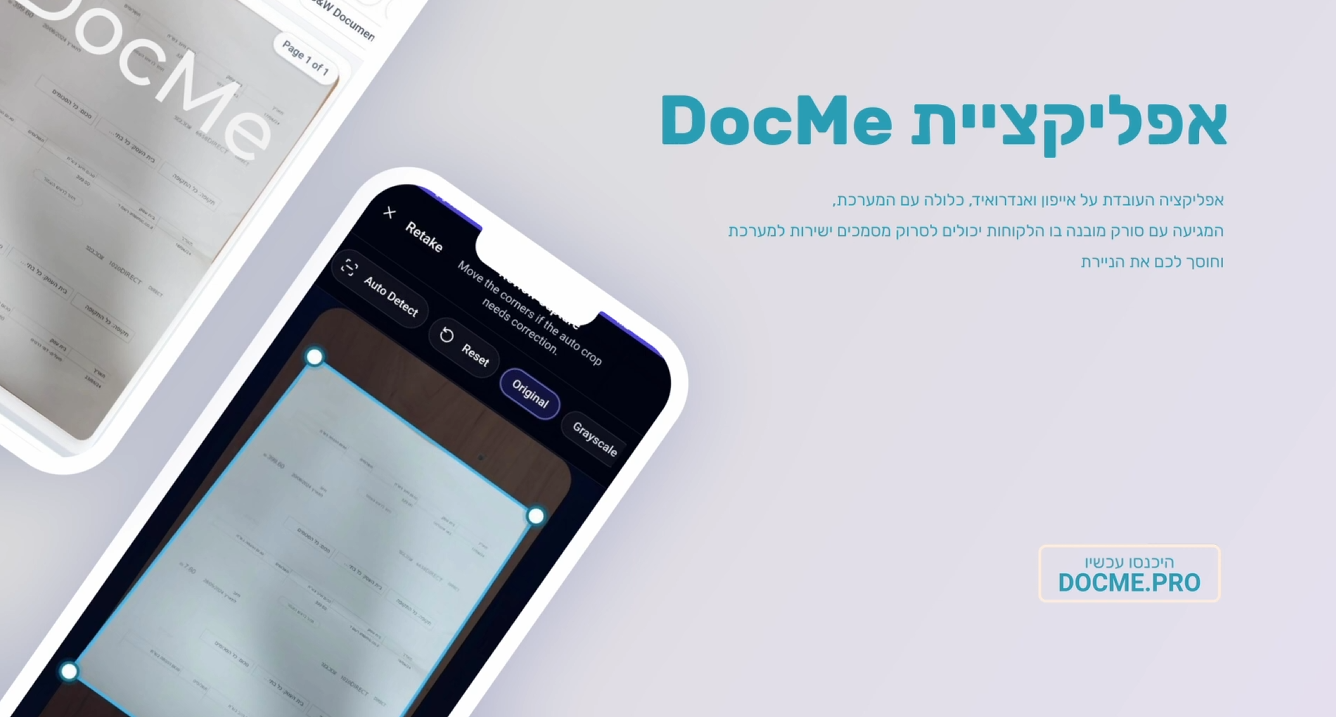
Alongside WhatsApp, Telegram, email, and direct sharing, DocMe also includes a built-in scanner for iPhone and Android. The scanner is for cases where the document is still physical: a printed invoice, a paper receipt, a form, a confirmation, or anything that needs to become a digital file.
In the app you can use the scanner to photograph and upload documents straight into the system. You can also see files you uploaded previously, track documents that have been captured, and see which files your accountant has already finished working on.
That creates a complete workflow from the phone:
- Scan a physical document.
- The file uploads to DocMe.
- The document is stored in the system and ready for processing.
- You can review documents uploaded in the past.
- You can track files the accountant has already handled.
The built-in scanner matters most for businesses that still receive documents on paper. Instead of taking an ordinary photo and forgetting it in the gallery, the scan goes straight into the DocMe workflow.
A demo of the DocMe built-in scanner
What happens after the file reaches DocMe?
Uploading the file is only the first step. Once the document is captured, DocMe can begin processing: reading the document, identifying vendors, extracting amounts, dates, VAT, and accounting data, and preparing the information for the next stage.
For invoices and receipts, the goal is to turn the document from a static file into information you can work with. Instead of saving a PDF in a folder and coming back to it manually, DocMe organises the data and lets you continue into the bookkeeping process more efficiently.
The full process can include:
- Capturing the file from the channel it was sent through.
- Identifying the relevant user or client.
- Storing the document in the digital archive.
- Extracting data from the document.
- Applying fixed rules by vendor or document type.
- Preparing it for handling, approval, or creating a journal entry.
That is how DocMe connects the moment a document arrives with the stage where it is ready for accounting work.
Mistakes to avoid when uploading documents
To keep the process clean and organised, a few simple rules are worth following:
- Don't leave invoices only inside WhatsApp or Telegram.
- Don't photograph receipts without sending them to DocMe right away.
- Don't pass documents between several people without confirming they were captured in the system.
- Don't send blurry or cropped files when you could scan them clearly.
- Don't wait until month end to collect every document at once.
The simple rule is this: the moment a document reaches you, send it to DocMe through whichever channel is easiest at that moment. That cuts down on load, mistakes, and unnecessary searching.
A checklist for day-to-day uploading to DocMe
To turn the process into a fixed habit, work from a short checklist:
- Got an invoice on WhatsApp? Send it to DocMe immediately.
- Got a document on Telegram? Forward it to DocMe.
- An invoice arrived by email? Send it to the dedicated address.
- Downloaded a file on your phone? Use Share and choose DocMe.
- Received a paper document? Scan it in the app.
- Check occasionally that the documents were captured and nothing is waiting.
When the whole team works the same way, documents don't go missing and bookkeeping gets a far more organised basis to work from.
In summary: every road leads to DocMe
Uploading files to DocMe is designed to fit the way businesses actually work. Sometimes the document arrives on WhatsApp, sometimes on Telegram, sometimes by email, sometimes it's already saved on the phone, and sometimes it has to be scanned from paper. Instead of forcing everyone into one channel, DocMe captures documents from a range of channels and brings them into one organised process.
The result is less searching, fewer lost documents, less manual work, and more control over what has been uploaded, what is waiting, and what has already been handled. If you want to see how it works on real documents from your business, book a short demo and watch the upload, capture, and processing flow from start to finish.